iwantmyname DNS Setup For ImprovMX
1. View and copy your MX & SPF records
Where to find your MX & SPF records in the ImprovMX dashboard : Viewing MX & SPF records
You will be required to copy them into iwantmyname.
2. Add MX records
In iwantmyname, navigate to the My Domains page. Locate your domain and click on it.
From the Advanced Options, select "Manage DNS records and nameservers".
Click on the "Our nameservers & DNS" tab.
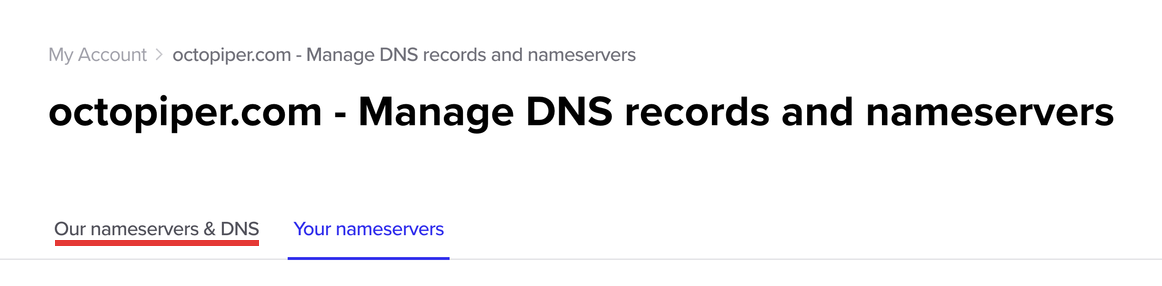
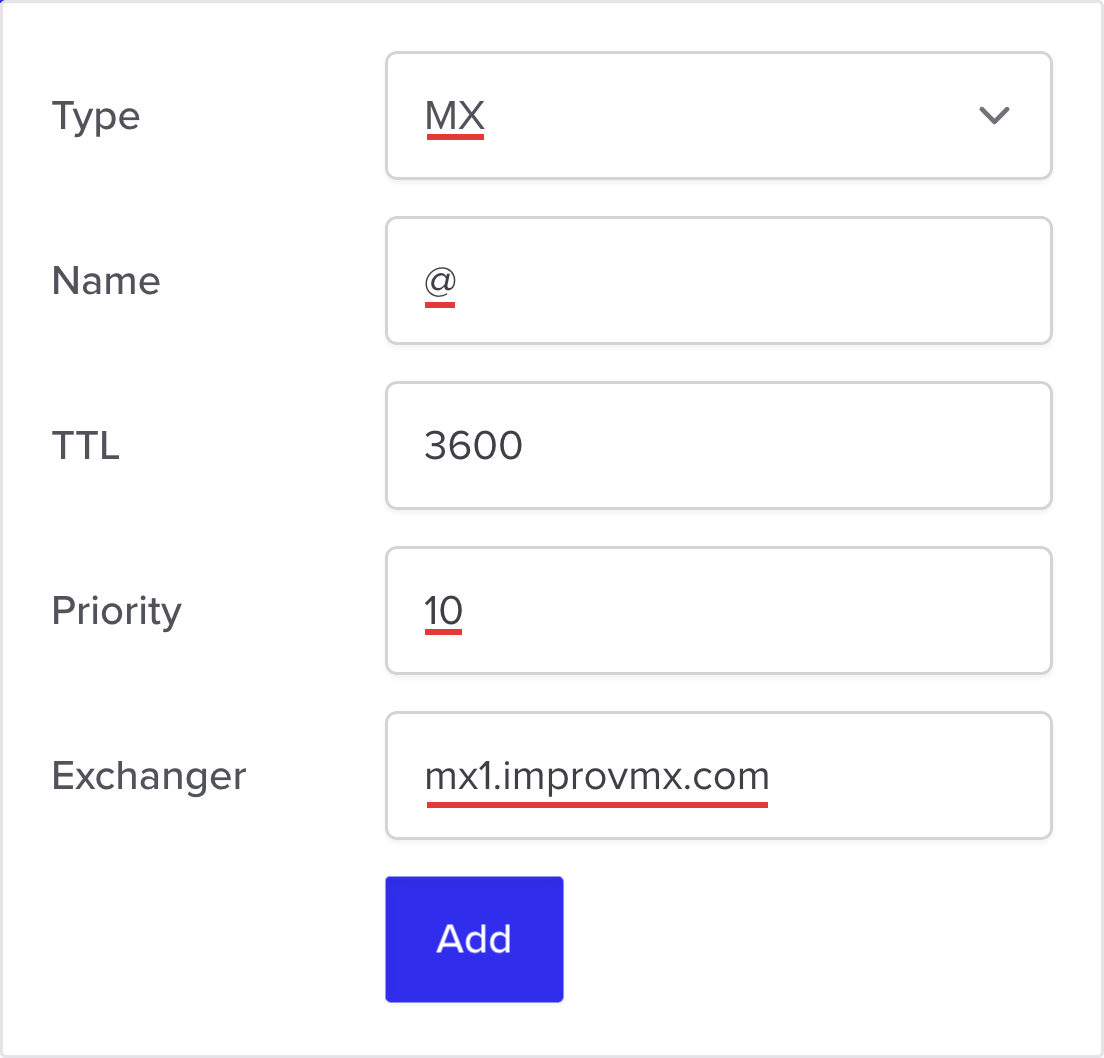
Fill in the Add New Record fields as follows:
- Type - MX
- Name - @
- Priority - 10
- Exchanger -
mx1.improvmx.com
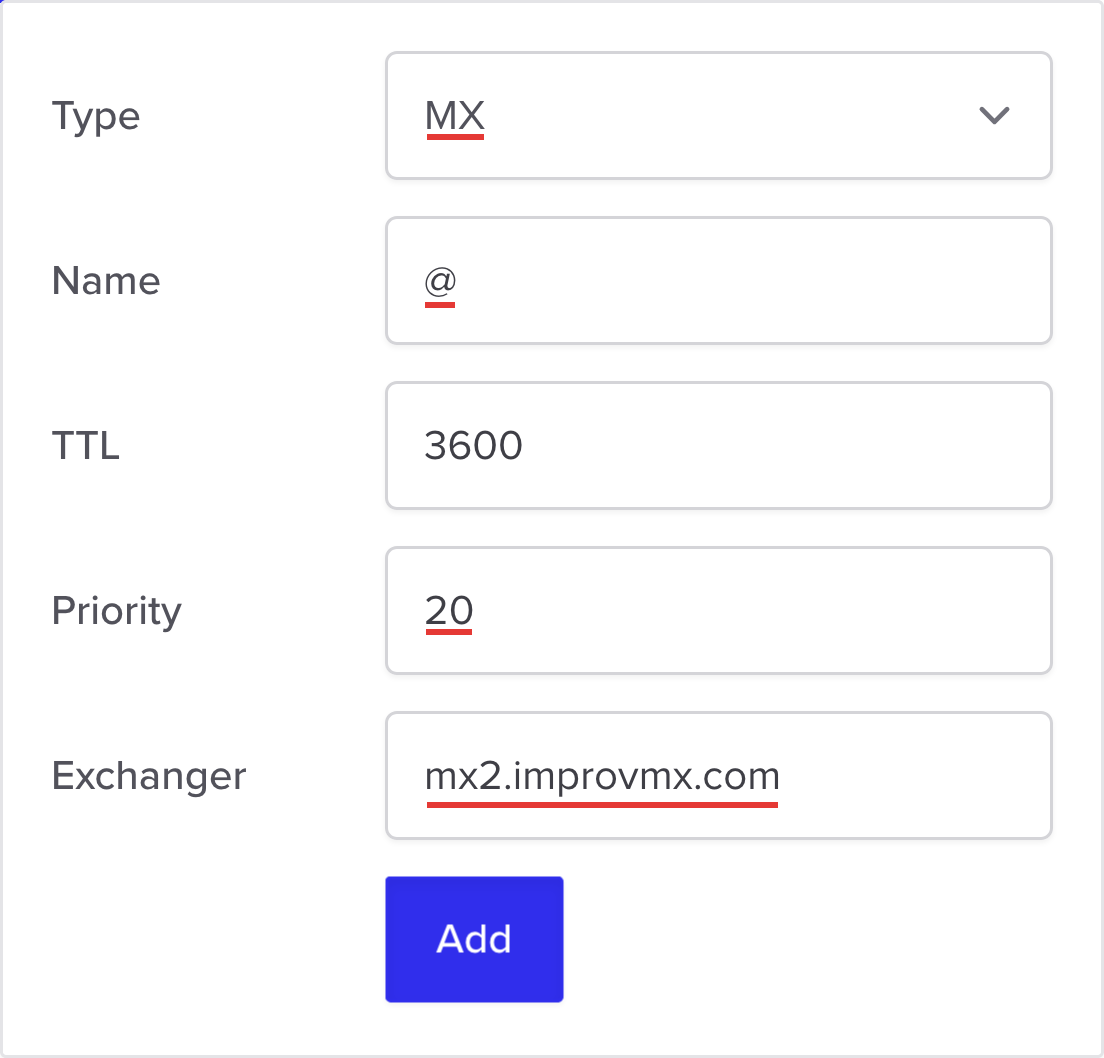
Click "Add". Repeat for the second MX record but:
- Priority - 20
- Exchanger -
mx2.improvmx.com
Click "Add".
3. Add SPF Record
In the ImprovMX dashboard, find the SPF Records section and copy "Recommended Value".
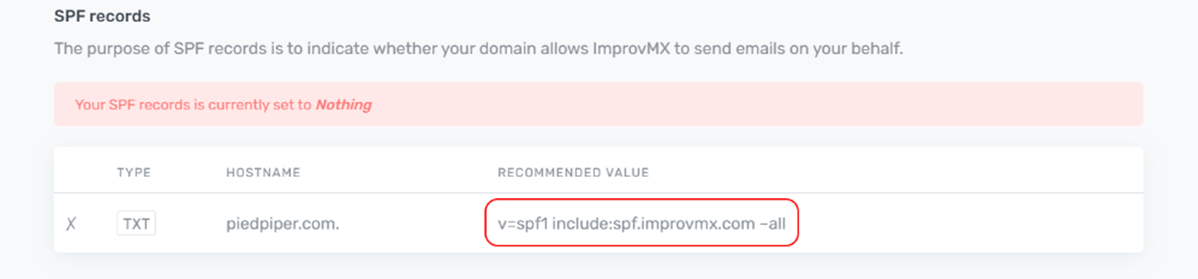
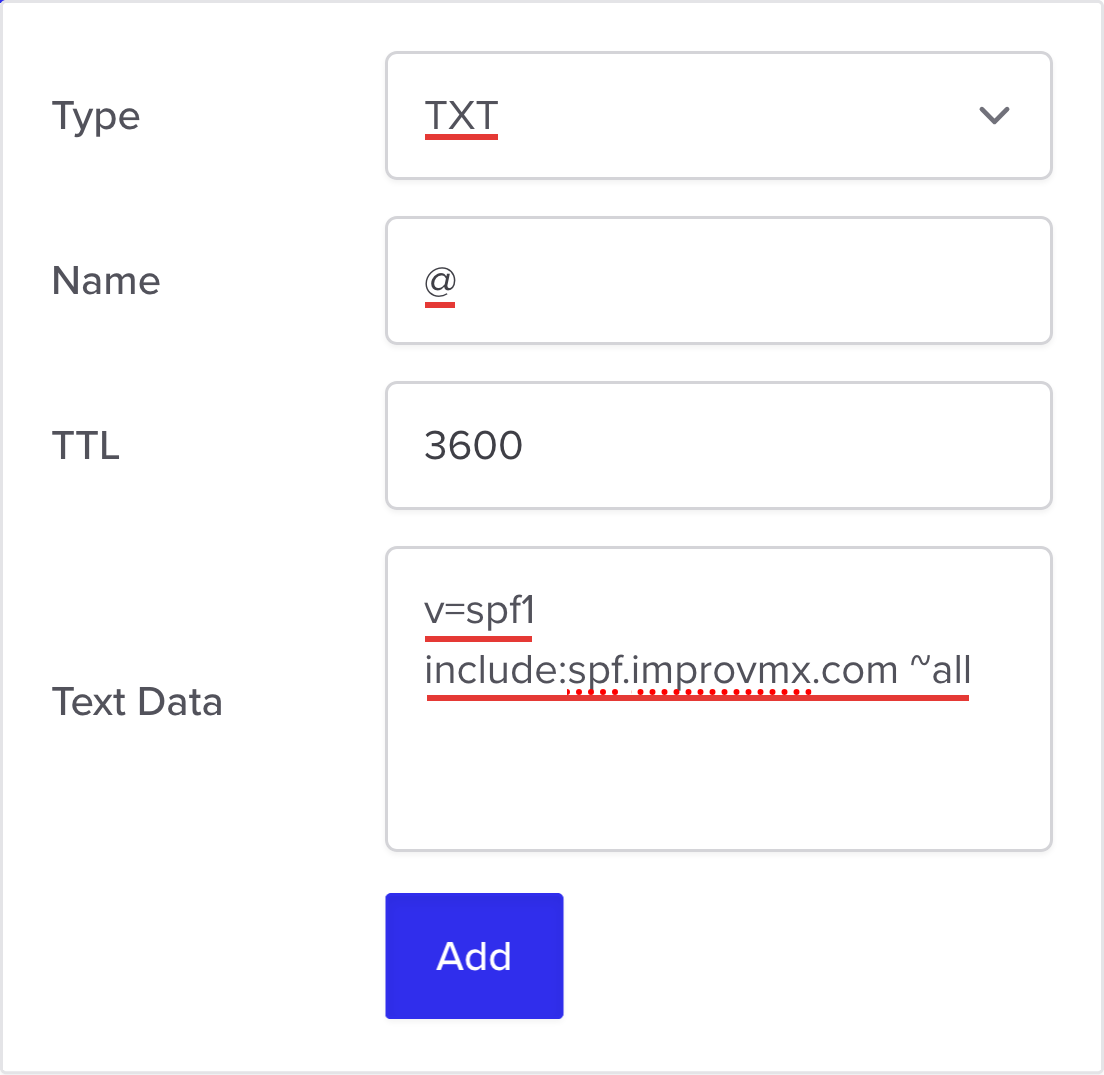
In iwantmyname, fill in the Add New Record fields as follows:
- Type - TXT
- Name - @
-
Text Data -
v=spf1 include:spf.improvmx.com ~all(or your recommended value)
Click "Add".
4. Verification
That's it! DNS changes can take up to 24-48 hours to propagate, but usually happen sooner. We'll notify you once detected. You can also click 'Check Again' on the ImprovMX dashboard to see if it's updated.
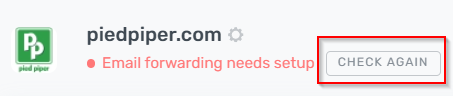
Domain will display "Email forwarding active" once DNS changes have propagated.

Still have questions? Feel free to reach out to our support team!